Social Network (Web App)
A client/server social network web app (NextJS + TypeScript frontend, Express (NodeJS) REST API) with a post feed, like/unlike, and a dedicated liked-posts view.
このプロジェクトのドキュメントは英語のみです。
- TypeScript
- Next.js
- React
- Sass
- Node.js
- Express
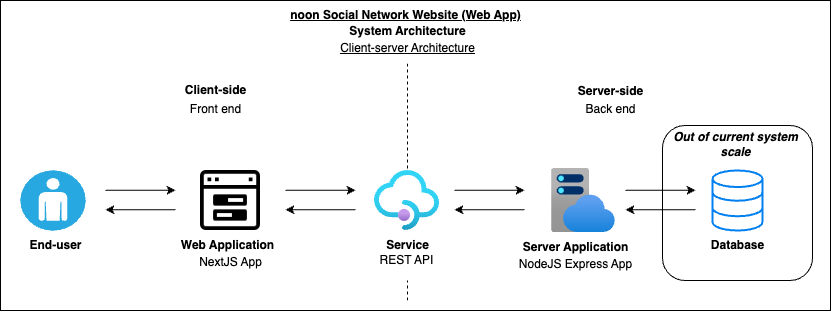
Table of Contents
1. App Description
1.1. App hosting configurations
2. System Architecture
3. Consumed Technologies, Tools and Dependencies
4. Installation (NextJS and Express apps)
5. Managing the Source Code
6. Usage
6.1. Functional features of the Web Application
6.2. Non-functional features of the Web Application
6.3. Screenshots of the noon Social Network Website (Web App)
6.3.1. Mobile view (414 x 896 resolution) (iPhone XR)
6.3.2. Desktop view (1584 x 1228 resolution)
7. Application Designing - Low-fidelity Wireframes
8. Git Commit Strategy
9. Credits
10. License
Documentation
1. App Description -
This is a web application built on top of the Client/server architecture to deliver its end-user an interactive user experience. Allowing to view posts feed and like individual posts depending on their preference.
There are two web pages to this web application,
- Landing page => Home => Shows the post feed and each post has a "Like" button
- Liked page => Shows the posts that were liked by the current end-user and each post has a "Dislike" button
1.1. App hosting configurations -
- Client-side NextJS application => noon - Social Network
- Server-side Express (NodeJS) application => noon api v1
2. System Architecture -
Figure 2.1: System Architecture Diagram
This system handles it's data transfer using the Client/server architecture.
Flow of data -
- The Client-side NextJS app requests data from the Server-side Express (NodeJS) app through the REST API.
- The Server-side app will query the data store (database) and return the requested data as a response.
- [The current system doesn't contain a database and the data is held in the code-level in the Server-side app.]
3. Consumed Technologies, Tools and Dependencies -
- Programming Languages -
- Client-side (Front end) - NextJS, Sass, TypeScript, TSX
- Server-side (Back end) - NodeJS, Express, TypeScript
- Frameworks -
- Facebook's React using React Hooks
- Vercel's NextJS
- Express
- Sass
- Tools - Visual Studio Code
- Main Dependencies -
- Axios - Library to fetch data from an API service.
- React-icons - Icon library containing all icons from several third-party icon packs.
- App Hosting -
4. Installation (NextJS and Express apps) -
In order to run the applications (NextJS and Express apps), their node modules are required.
- To download the associated node modules and prepare the build files, go to the project file directory via the command prompt (CMD) and run the below command =>
npm install && npm run build
- After the node module installation and the build files are generated, to run the apps, run the below command =>
npm start
To run the apps for development purposes =>
npm run start:dev
5. Managing the Source Code -
Client-side app (NextJS)
Client-side app's source code is located in the following directory =>
Workspace -> noon-social_media_website -> client
Source code structure =>
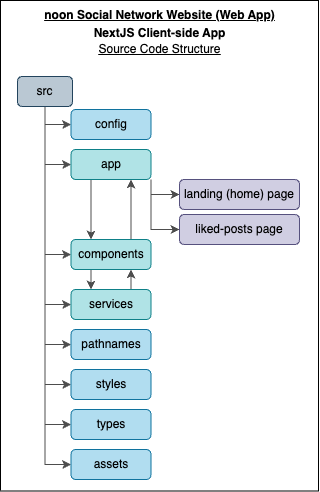
Figure 5.1: Client-side app (NextJS) Source Code Structure
Server-side app (Express) (NodeJS)
Server-side app's source code is located in the following directory =>
Workspace -> noon-social_media_website -> server
Source code structure =>
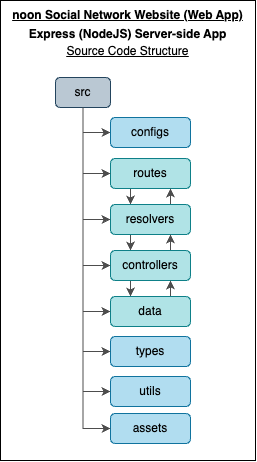
Figure 5.2: Server-side app (Express) (NodeJS) Source Code Structure
6. Usage -
6.1. Functional features of the Web Application -
- End-user can view a post feed with the following details,
- Account details
- Post details
- Number of post likes
- Post comments
- End-user can like a post from the post feed
- End-user can view the already liked posts on a separate web page
- End-user can unlike an already liked post
- End-user is able to view the web application in the mobile view and desktop view with the appropriate layout changes
6.2. Non-functional features of the Web Application -
- Code Readability
- Code Maintainability
- Code Reusability
- Code Scalability
- Error handling
6.3. Screenshots of the noon Social Network Website (Web App) -
6.3.1. Mobile view (414 x 896 resolution) (iPhone XR) =>
6.3.1.1. Landing (Home) page loading screen - During the data retrieval (fetch) from the API
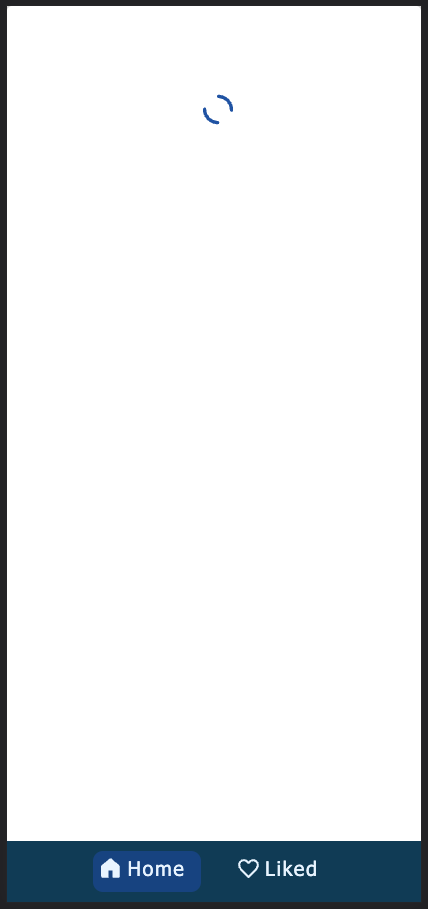
Figure 6.3.1.1.1: Mobile view - Landing (Home) page loading screen - During the data retrieval (fetch) from the API
6.3.1.2. Landing (Home) page
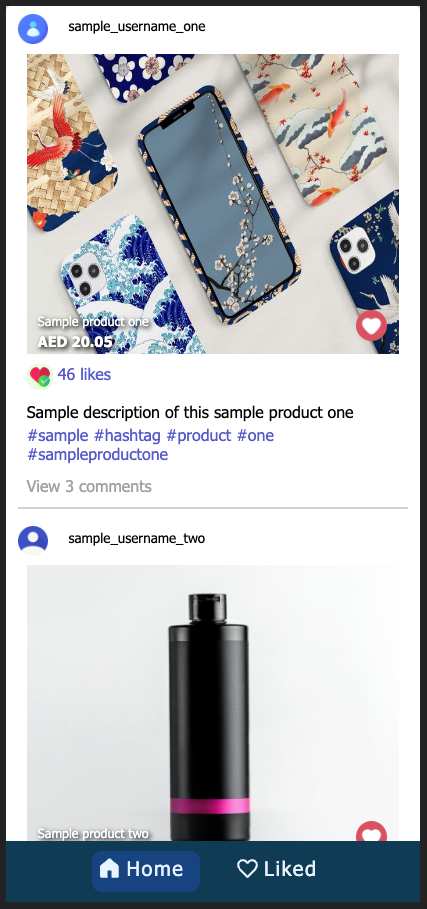
Figure 6.3.1.2.1: Mobile view - Landing (Home) page
6.3.1.3. Liked page - No liked posts
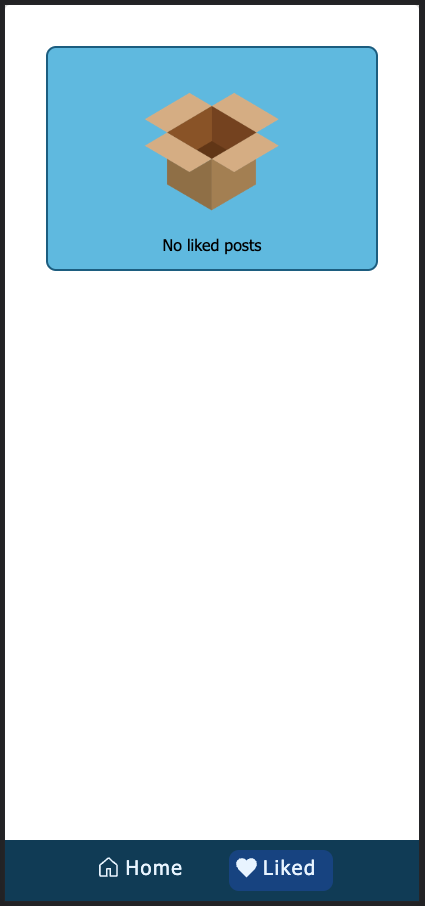
Figure 6.3.1.3.1: Mobile view - Landing (Home) page
6.3.1.4. Landing (Home) page - With two liked posts
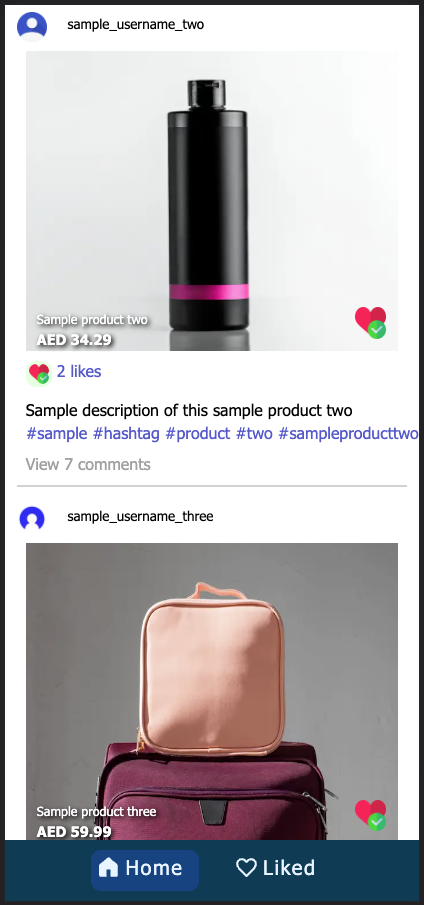
Figure 6.3.1.4.1: Mobile view - Landing (Home) page - With two liked postse
6.3.1.5. Liked page - With two liked posts
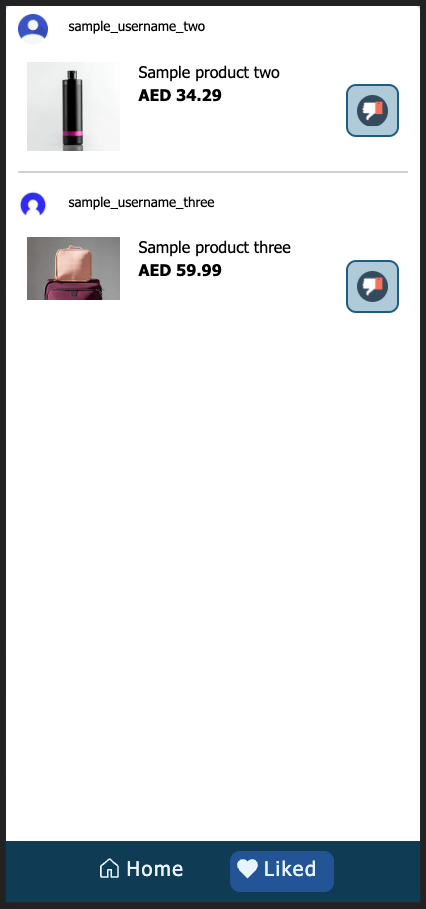
Figure 6.3.1.5.1: Mobile view - Liked page - With two liked posts
6.3.1.6. Landing (Home) page error screen (Error handled)
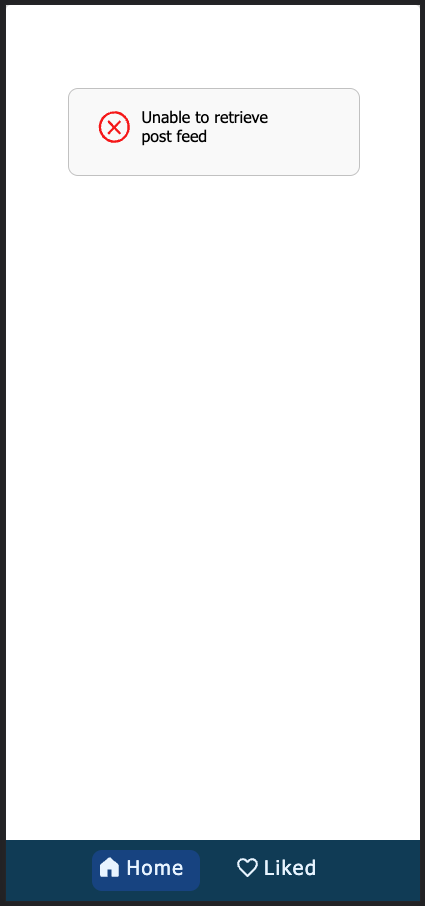
Figure 6.3.1.6.1: Mobile view - Landing (Home) page error screen - API data retrieval failed (Error handled)
6.3.1.7. Liked page error screen (Error handled)
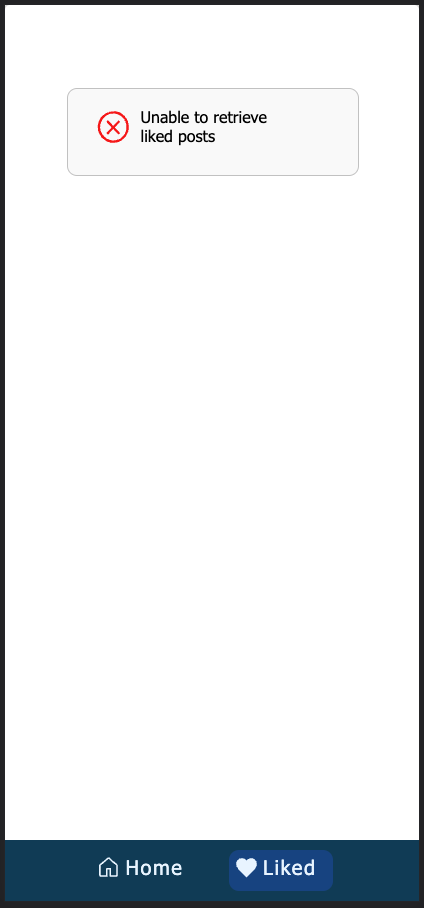
Figure 6.3.1.7.1: Mobile view - Liked page error screen - API data retrieval failed (Error handled)
6.3.2. Desktop view (1584 x 1228 resolution) =>
6.3.2.1. Landing (Home) page loading screen - During the data retrieval (fetch) from the API
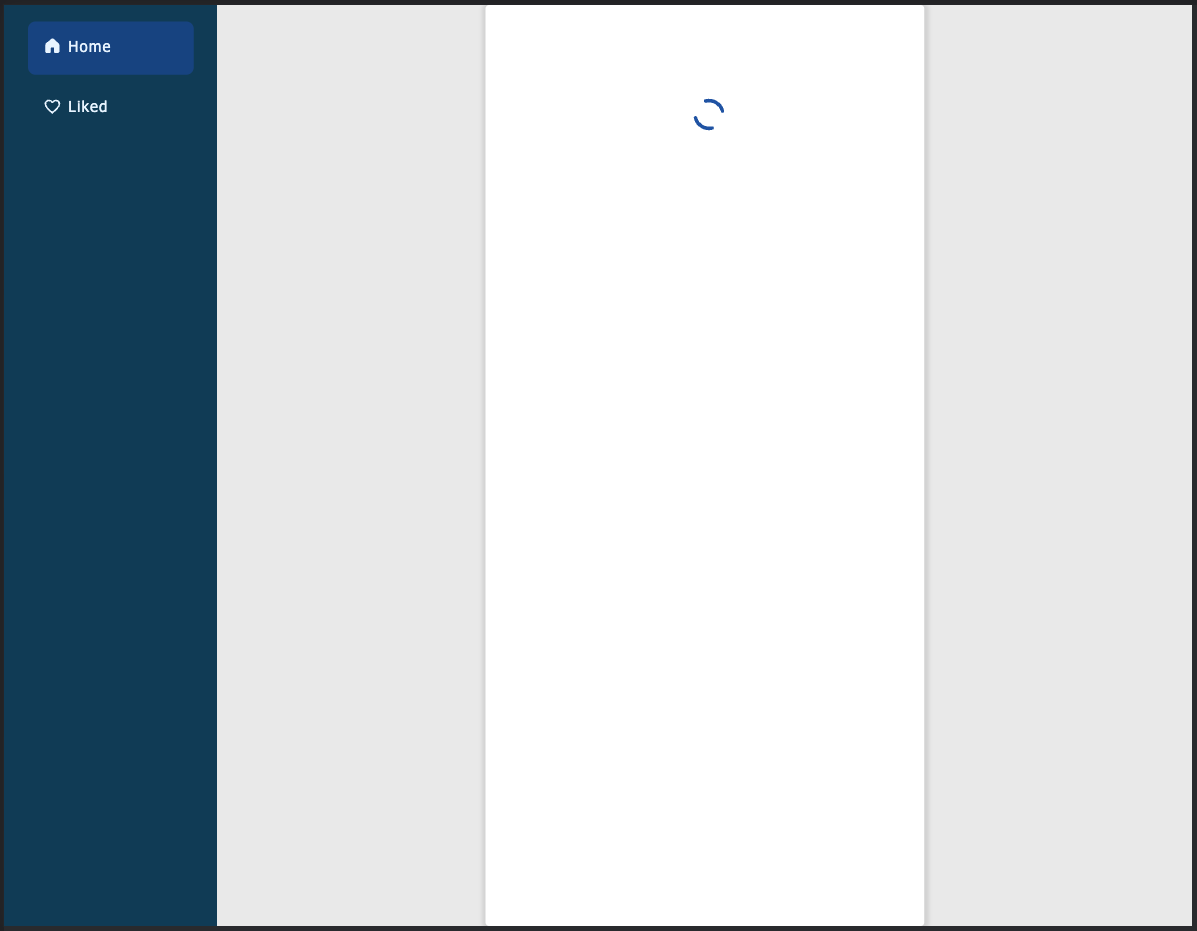
Figure 6.3.2.1.1: Desktop view - Liked page error screen - During the data retrieval (fetch) from the API
6.3.2.2. Landing (Home) page
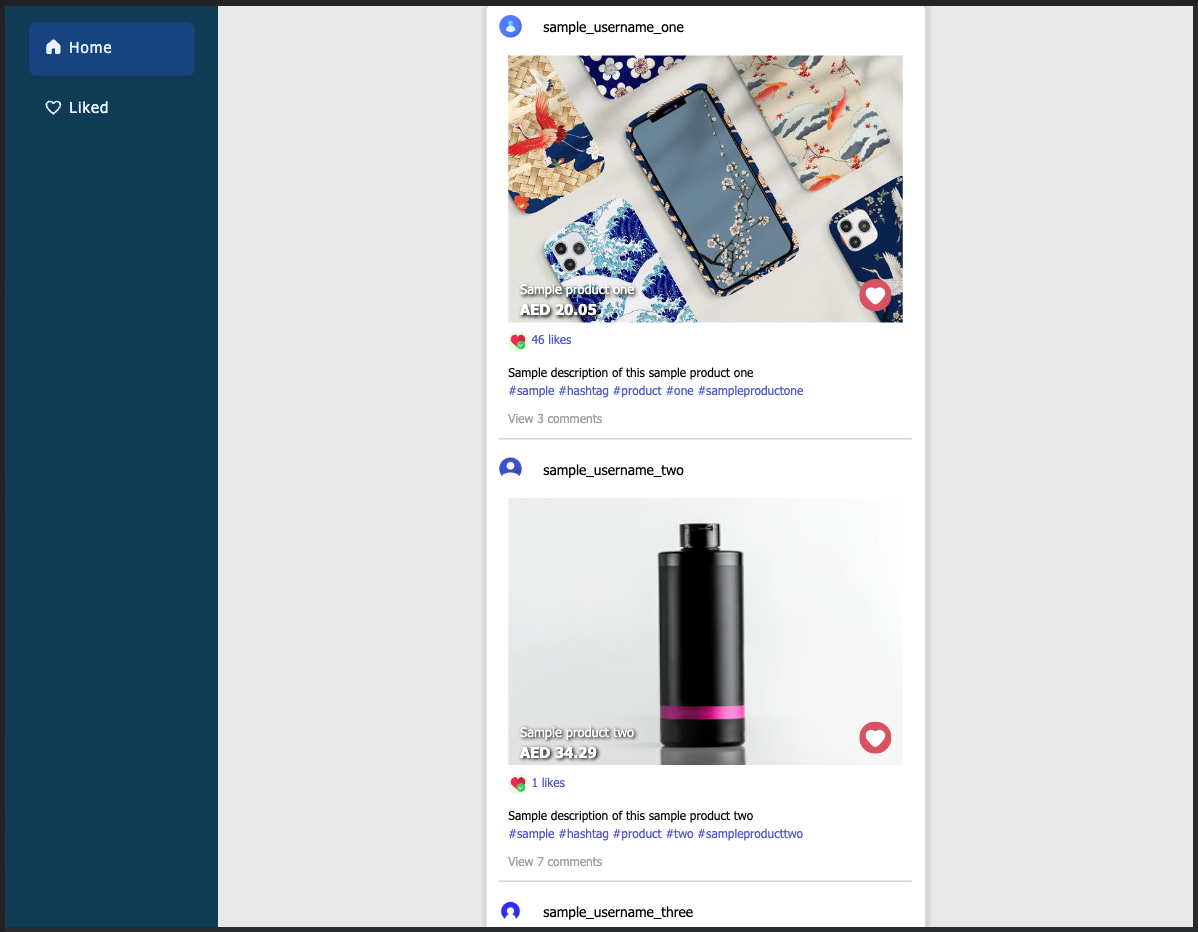
Figure 6.3.2.2.1: Desktop view - Landing (Home) page
6.3.2.3. Liked page - No liked posts
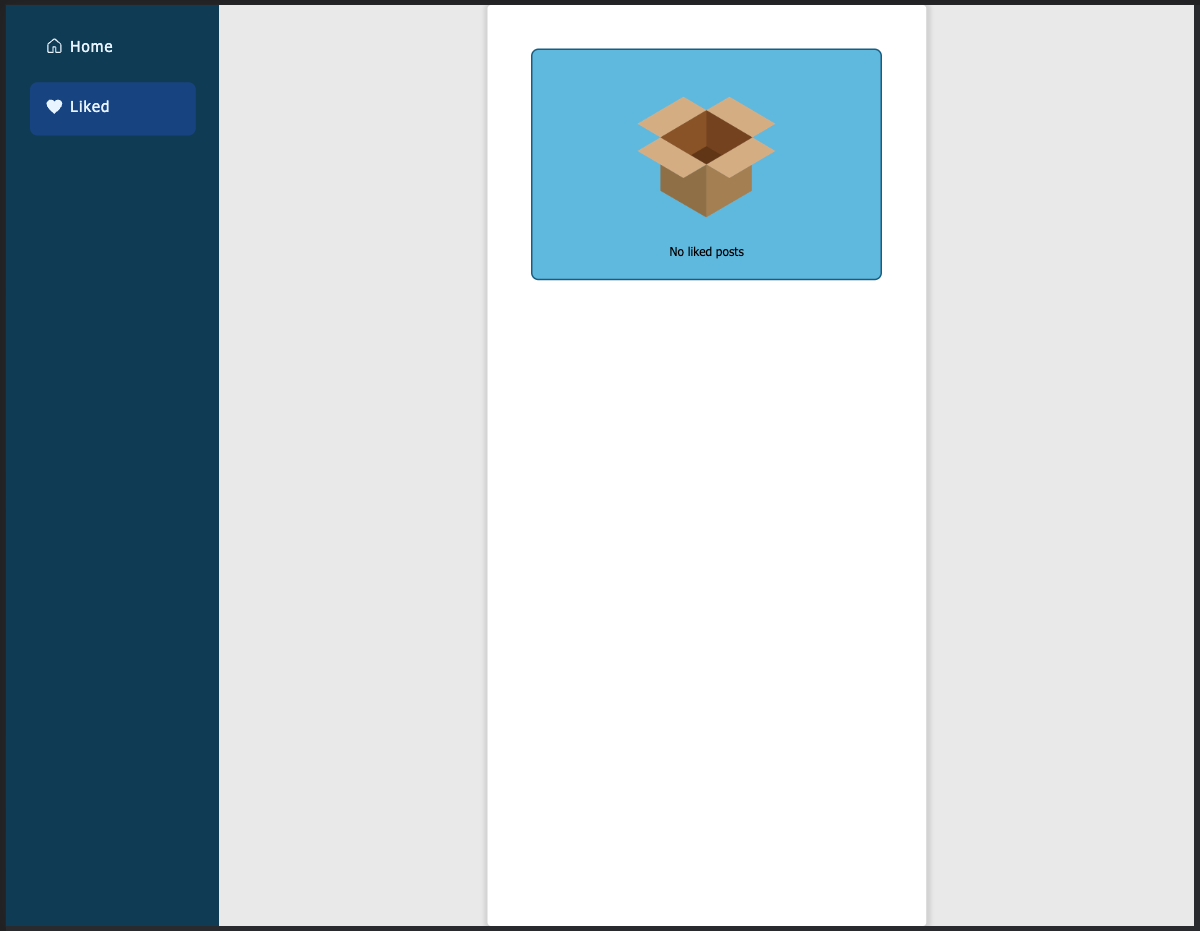
Figure 6.3.2.3.1: Desktop view - Liked page - No liked posts
6.3.2.4. Landing (Home) page - With two liked posts
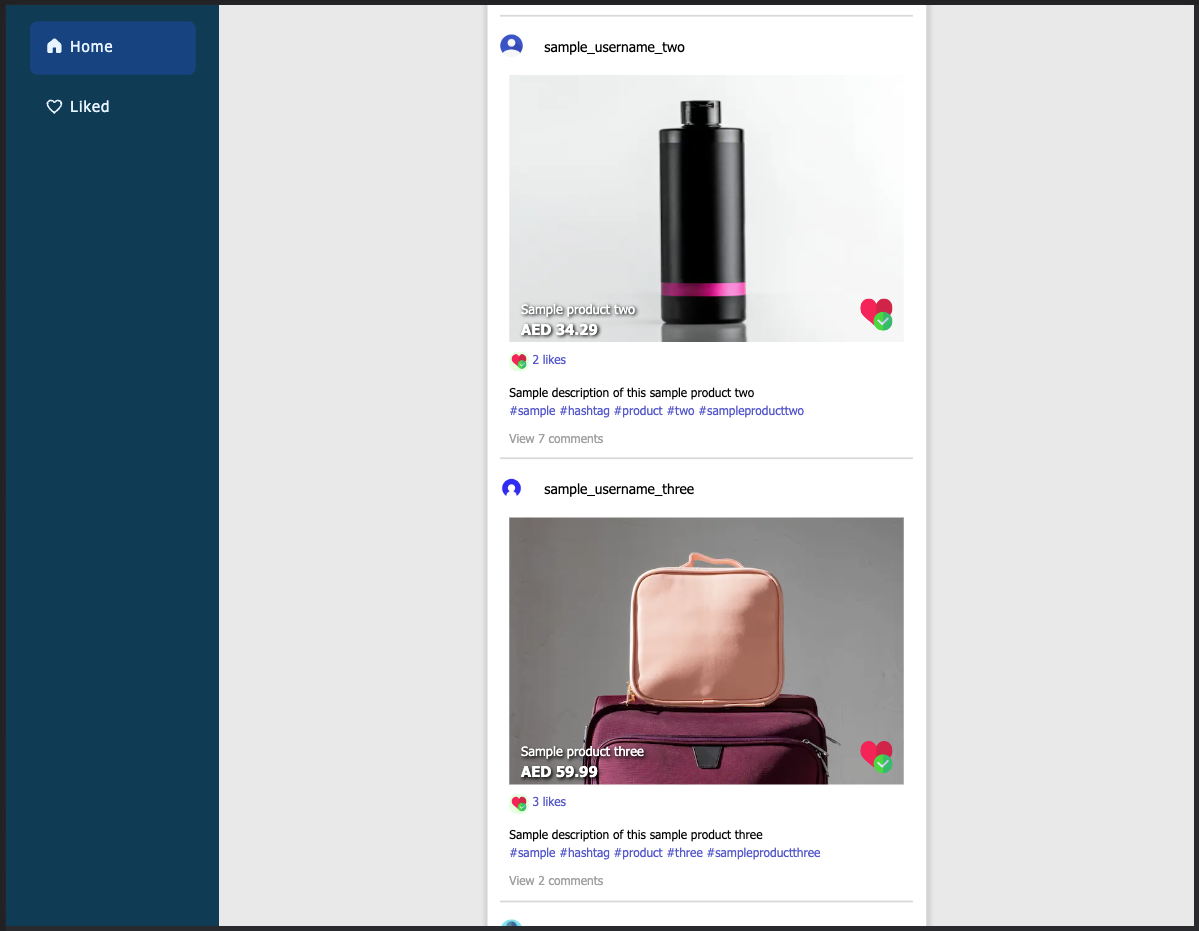
Figure 6.3.2.4.1: Desktop view - Landing (Home) page - With two liked posts
6.3.2.5. Liked page - With two liked posts
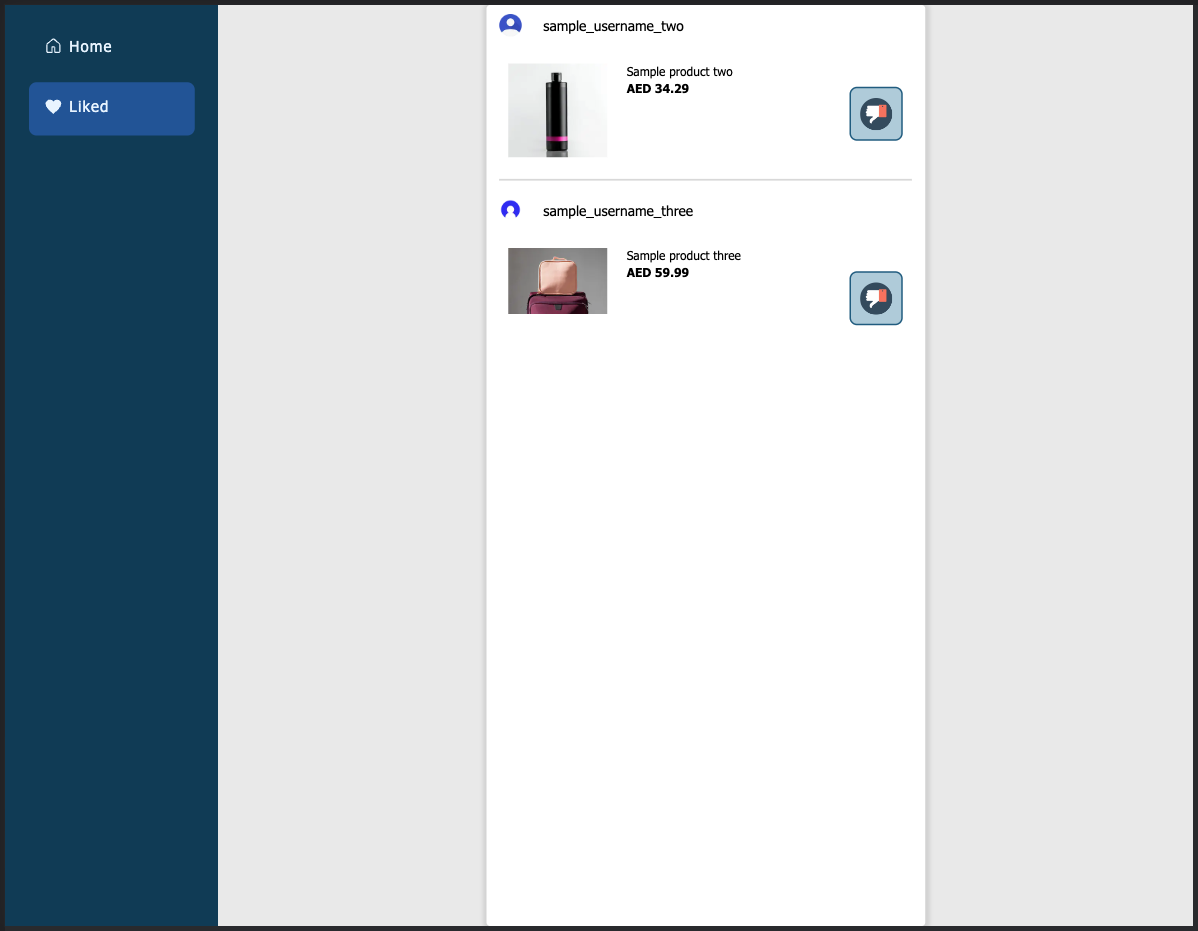
Figure 6.3.2.5.1: Desktop view - Liked page - With two liked posts
6.3.2.6. Landing (Home) page error screen (Error handled)
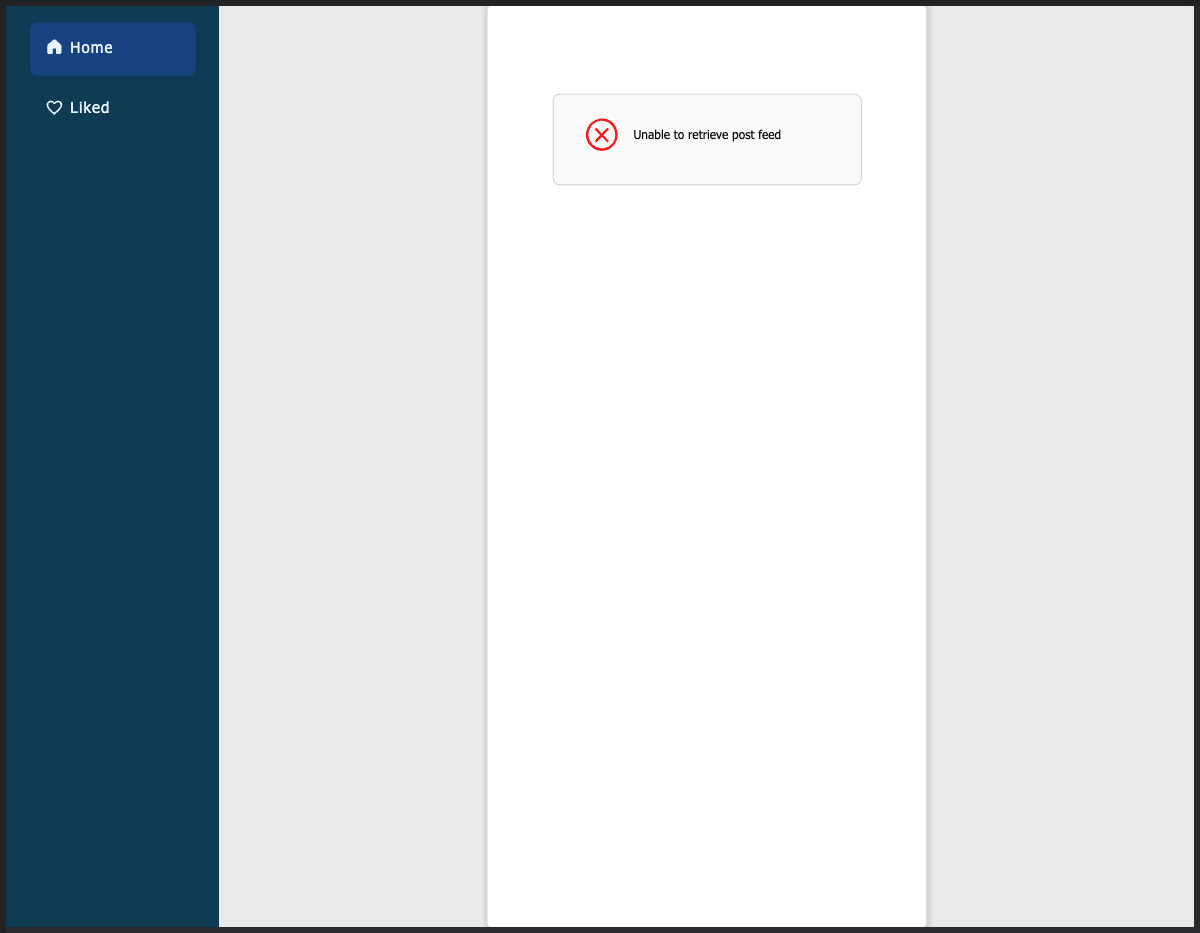
Figure 6.3.2.6.1: Desktop view - Landing (Home) page error screen - API data retrieval (fetch) failed (Error handled)
6.3.2.7. Liked page error screen (Error handled)
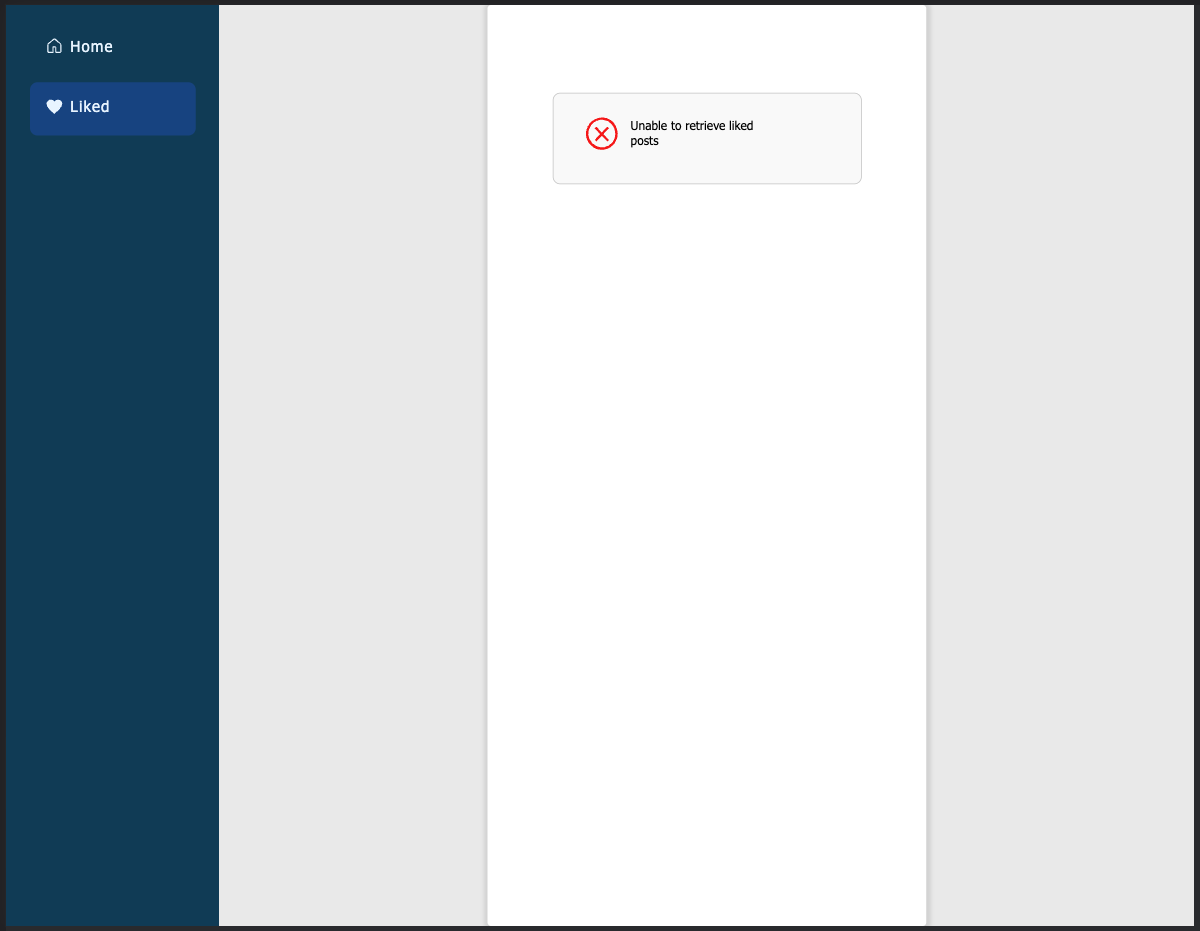
Figure 6.3.2.7.1: Desktop view - Liked page error screen - API data retrieval (fetch) failed (Error handled)
7. Application Designing - Low-fidelity Wireframes
7.1. Mobile view =>
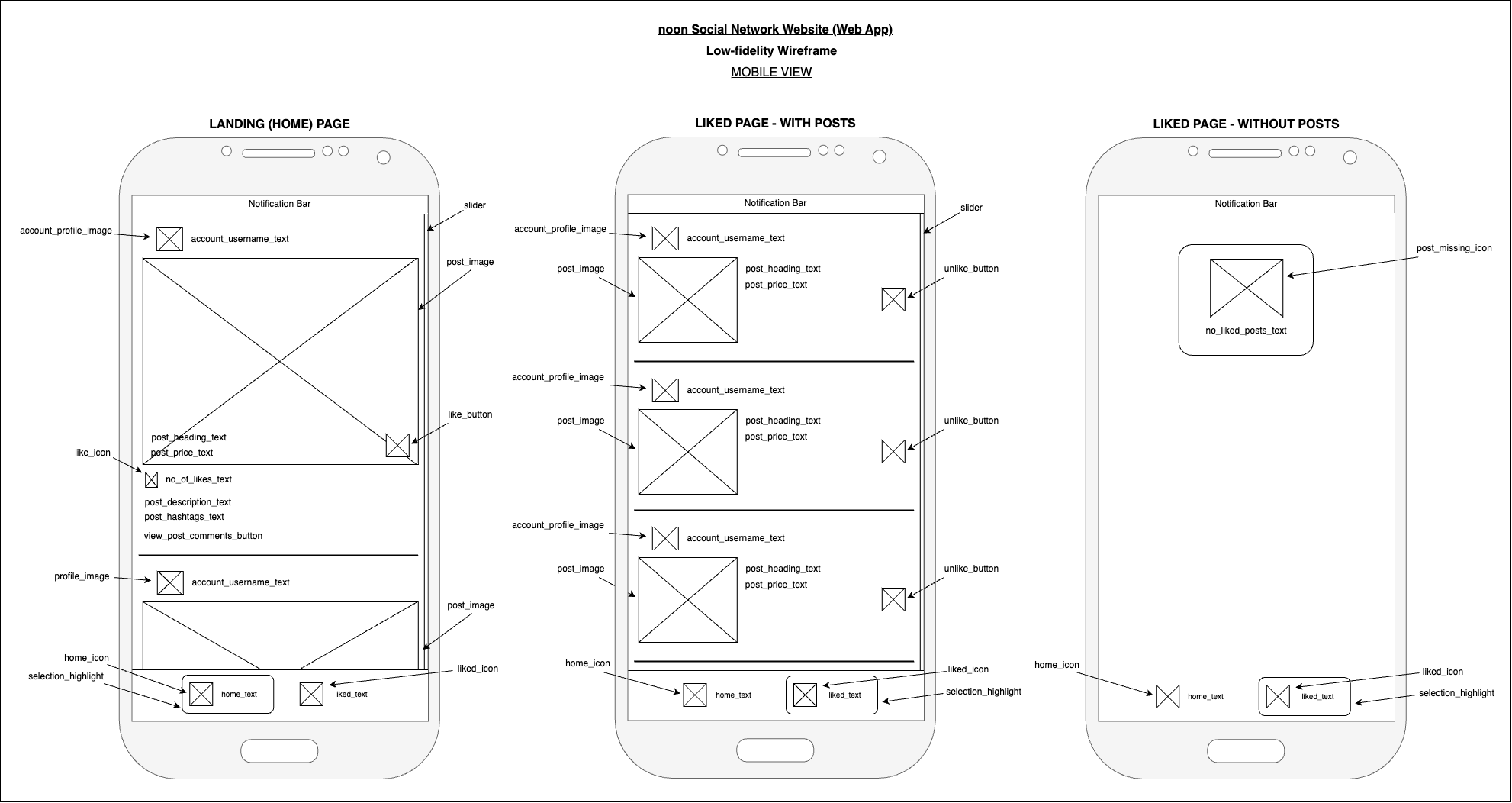
Figure 7.1.1: Application Mobile View Low-fidelity Wireframe
7.2. Desktop view =>
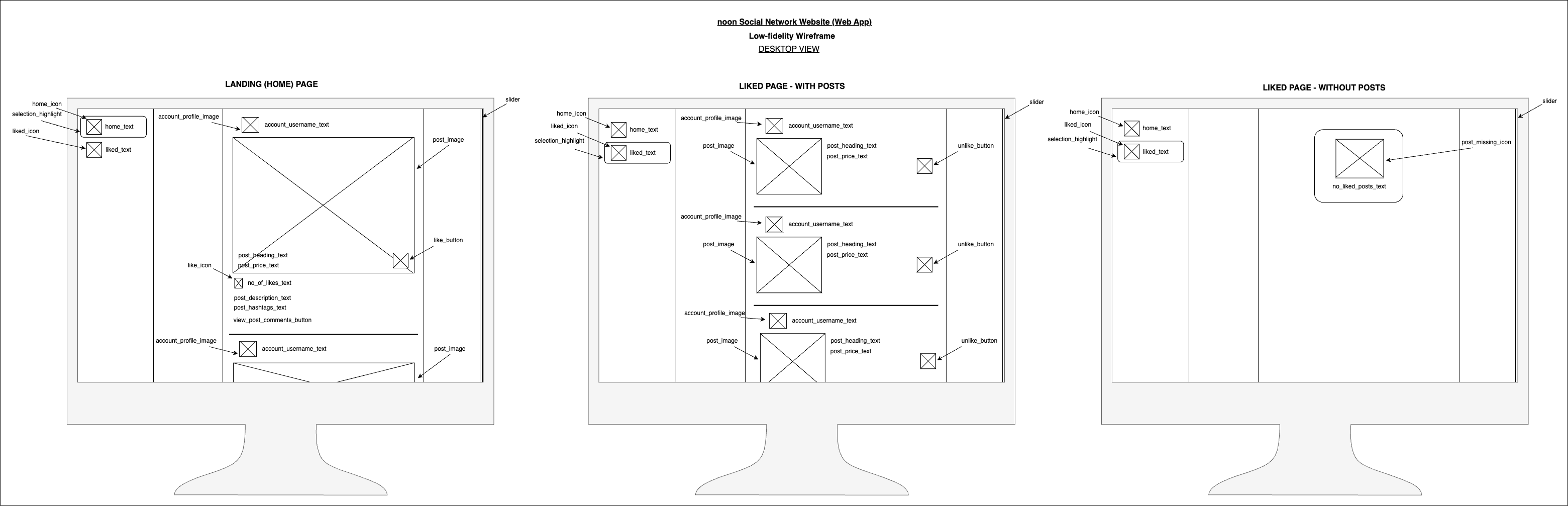
Figure 7.2.1: Application Desktop View Low-fidelity Wireframe
8. Git Commit Strategy -
This repository contains two branches, main and develop. In the duration of the development of the source code and documentation, change commits were pushed to the develop branch.
The contents of the develop branch were reviewed in groups and merged into the main branch.
As shown in the below table, commits were pushed incrementally,
| Version | Commit Group | Project Tasks |
|---|---|---|
| v1 | Group 1 - Documentation | Design low-fidelity wireframes |
| v1 | Group 2 - Back-end | Setup NodeJS server application |
| v1 | Group 3 - Front-end | Setup NextJS client application |
Table 8.1: Git Commit Strategy
9. Credits -
This project to build a sample social network website was developed for the entry evaluation process at noon. The functional requirements were provided by noon.
The project was developed using the best practices and guidance with the use of legitimate online documentation (docs) and YouTube videos.
For learning purposes, other developers' source codes were reviewed on sample applications built and documented online.
Documentation and source code in this repository was developed by H.V.L.Hasanka.
Extended credits => Image credits
10. License -
Copyright (c) 2023 H.V.L.Hasanka
Licensed under MIT License